
On this page
IN BRIEF
Repeat the accepted panel and control each change
Start from the specification actually accepted and supplied. Compare the new offer with that version, record every changed field, review the affected trial or product data and state exactly which quantities receive the new revision.
- Reference the accepted revision and sample.
- List changed fields instead of relying on “same as last time”.
- Recheck the observations affected by each change.
UNDERSTAND THE DETAIL
Which changes should be flagged on a repeat plywood order?
Record changes to face/back, core or lay-up, bond, dimensions, finish, producer, machining, hardware or service conditions. Compare old and proposed values side by side. Confirm unchanged fields once, then evaluate the checks affected by the change.
- Changed material
- Record the exact face, core, bond or dimension proposed.
- Changed component
- Attach the revised drawing, finish or hardware reference.
- Released decision
- Identify who accepted the revision, its scope and the order quantity to which it applies.
How can an unauthorized substitution be spotted at receiving?
Compare the delivered item, labels and inspection records with the accepted revision. A matching face alone cannot confirm the internal construction. Put required section or material checks into the receiving plan.
Continue with building that requirement into receiving checks.
Build the repeat-order reference from the accepted record
Use the final accepted item, drawing and sample, including adjustments agreed during the previous order. Keep a proposed substitute on its own line until the revised item is accepted.
Review changes where they affect the component
A new core calls for relevant material and machining checks; a changed hinge calls for its local fixing and fit trial. Review changes made by the buyer as well as the supplier before allocating production.
Track changes to the material, drawing and finish sample
Use the supplied panel, drawing, finished sample and order reference as the starting point for a repeat. Link them on one item line and show which details have changed.
Scroll horizontally to compare all columns.
| Item | Record or calculate | Repeat-order decision |
|---|---|---|
| Material R2 | Full face/back/core/veneer gauges/lay-up/bond or board/facing construction, nominal/finished dimensions and relevant model methods/data. | Confirm the actual offered model and identify any proposed material difference separately. |
| Component D3 / D4 | Part code, drawing revision/units/datum/front/handing, profiles/holes, actual fitting model and finished dimension stage/limits. | Mark the changed features and the material/assembly observations affected. |
| Finished reference T3 / T4 | Actual material/sample, tools/preparation/edge/finish/fitting, trial stage, measurements/observations and accepted feature scope. | Retain a reproducible reference for the chosen version and the checks still required. |
| Order and pack issue | Selected item/version, quantity/unit, lot and bundle/part identities, supplied operations, cutover and destination/receiving dates. | Use the same selected revision when material is allocated, processed, packed and received. |
Match the changed field to the component check it affects
Use this matrix to assign each change a specific check. Record the accepted result and the revision it belongs to before the revised item enters production.
Scroll horizontally to compare all columns.
| Item | Record or calculate | Repeat-order decision |
|---|---|---|
| Gauge or format | Actual nominal/finished range, dimensions and drawing/fit stage; source sheet orientation and cut allocation. | Review mating joints, fitting/remaining section, cut quantities and relevant component measurements. |
| Core or layer construction | Changed species, veneer gauges/layer sequence or board model, offered properties/bond/data and measured mass. | Trial affected edge/machining/assembly features and request data for the actual construction. |
| Bond, emission or designation | Required method/edition/conditions and relevant model/report/declaration or marking scope for the intended use/market. | Compare the proposed product file against the order requirement and changed application. |
| Face, decor or supplied finish | Actual veneer/decor/range, front/reverse, edge, matching/viewing group and finishing process. | Review the finished physical combination, neighbouring pieces and processing responsibility. |
| Hardware or machining | Actual fitting/instructions, hole/profile/datum/handing, tools/process and completed fit. | Use the revised local trial and drawing with the chosen material rather than an old hardware reference. |
| Source, destination or duty | Actual producer/site/model and lot reference, intended conditions and receiving/application requirements. | Review affected material files, trials, identification, packing and order terms before allocating the revised supply. |
Review source changes as well as the physical panel
A new producer, exporter or wood source can affect the import file even when thickness and appearance stay the same. For US orders, recheck the classification and trade-remedy scope. For EU orders, review the source and submission coverage. Keep the product trial and import-document decisions beside the same revised item.
WORKED BUYING EXAMPLE
Example: a repeated panel with revised hardware
Chosen repeat-component record for the retained panel R2 and revised hardware/drawing D4.
An established cabinet item uses specification R2. The next project changes the hinge and drawing while the proposed panel construction remains unchanged.
Scroll horizontally to compare all columns.
| Item or observation | Record or compare | Next decision |
|---|---|---|
| Retained reference | Panel specification R2 and accepted appearance sample. | Confirm the offered material still matches those fields. |
| Changed component | New hardware and drawing D4. | Evaluate the affected fixing and machining detail. |
| Order release | Panel R2 plus accepted D4 trial reference. | Use the complete reference on the repeat schedule. |
What this means for the order
For a hardware change, keep the agreed material details and add the revised component drawing and trial result. This shows purchasing and production exactly what to repeat and what to update.
VERSION / STAGE / QUANTITY
Choose the quantity at which the revised drawing takes effect
In this 300-part example, 120 parts are shipped, 80 packed, 30 processed and 70 not started under R2/D3. Apply accepted drawing D4 to the 70 not-started parts. The allocation becomes 230 D3 + 70 D4 = 300 parts; packed or processed pieces keep their current revision until a separate rework decision is completed.
Scroll horizontally to compare all columns.
| Item | Record or calculate | Repeat-order decision |
|---|---|---|
| 120 shipped / D3 | Retain shipment/part/lot references and the D3 receiving/assembly record. | Identify the supplied version clearly when the later D4 material is discussed. |
| 80 packed / D3 | Retain pack contents and the current selected drawing issue. | Record any requested unpacking/change as a separate proposed action with affected quantities and checks. |
| 30 processed / D3 | Retain part identity, completed operations and actual current feature measurements. | Review any proposed rework and resulting trial/cost/status before assigning a changed item. |
| 70 not started / selected D4 | Identify the chosen drawing/material/trial package and production allocation. | Apply the cutover to these named quantities and carry D4 into their processing/pack records. |
Add new demand without counting the cutover quantity twice
For a requirement of 100 D4 parts, count the 70 allocated parts once and order the remaining 30. The revised total is 300 + 30 = 330 parts, allocated as 230 D3 and 100 D4. Identify any rework, revised costs and dispatch dates by version.
Scroll horizontally to compare all columns.
| Item | Record or calculate | Repeat-order decision |
|---|---|---|
| D4 requirement | 100 required − 70 already allocated = 30 additional D4 parts. | Record the additional order line and its selected construction/drawing/quantity unit. |
| Revised programme | Original 300 + additional 30 = 330 physical parts; selected allocation is 230 D3 + 100 D4. | Reconcile the original and revised line/pack/dispatch quantities while retaining both versions. |
| Other component effects | Actual mating components, handedness, matching appearance and required complete sets. | Review affected companion items and reserves against the selected D4 assembly rather than only the changed loose part. |
KEEP THE SELECTED PANEL IN THE NEXT PURCHASE FILE
Keep the previous panel file beside the revised offer
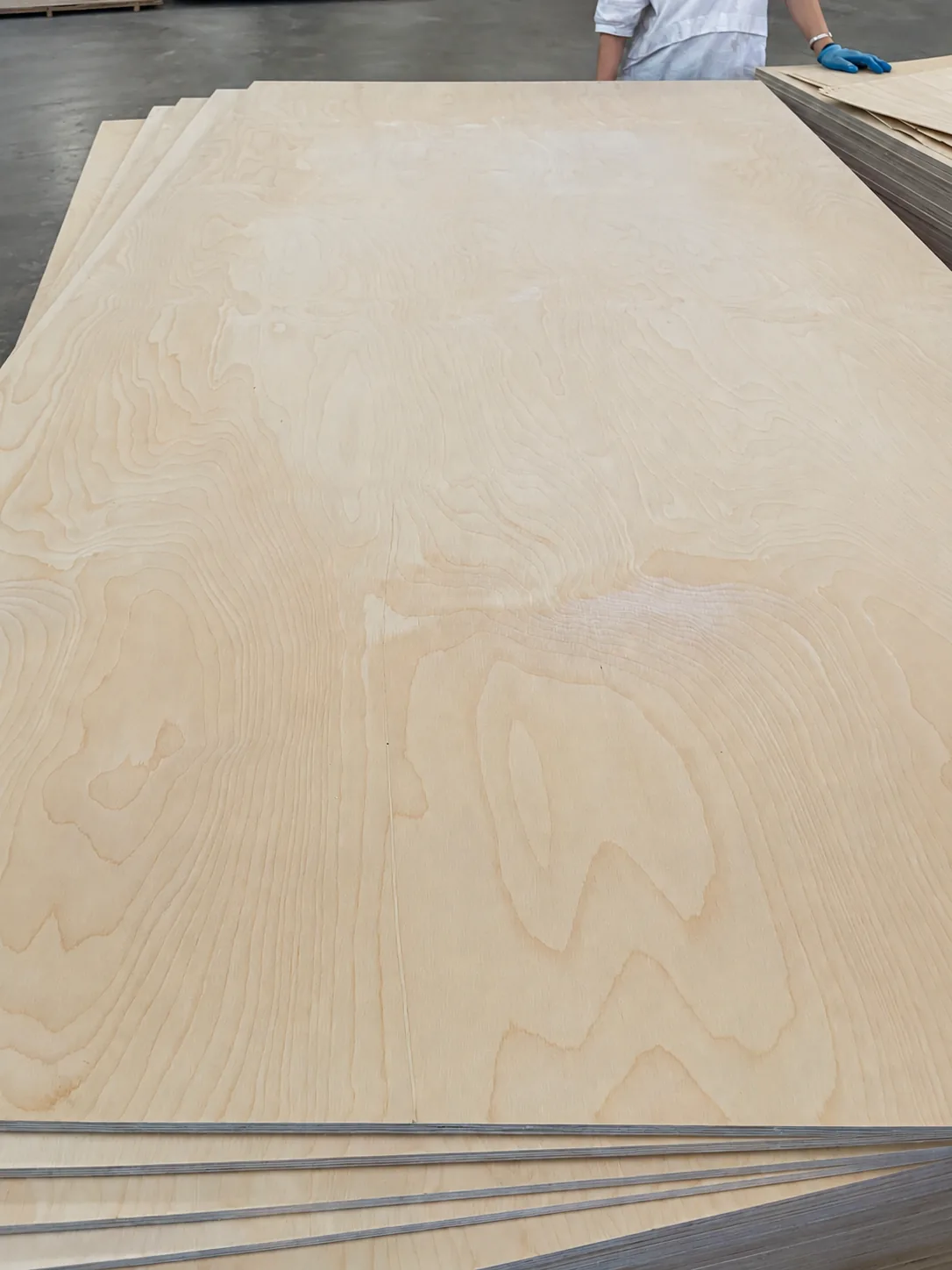
For a repeat all-birch item, keep the original sheet and pack measurements with the selected construction. The ECQA values below describe the inspected shipment. The next lot needs its own quantities, labels and inspection records.
Keep full-sheet mass separate from pack gross mass. The report uses CP as its appearance basis; retain the face/back grade and physical reference selected for your order.
Scroll horizontally to compare all columns.
| Nominal panel | Thickness readings | Measured sheet weight | Recorded pack dimensions & gross weight |
|---|---|---|---|
| 21 mm all-birch | 21.09 / 21.05 mm | 46.5 / 46.6 kg | 251 × 127 × 92 cm · 1773 kg |
| 24 mm all-birch | 24.10 mm | 50.0 kg | 251 × 127 × 97 cm · 1706 kg |
| 30 mm all-birch | 30.21 / 30.10 mm | 63.5 / 63.6 kg | 251 × 127 × 91 cm · 1711 kg |
Read the ECQA repeat-order panel reference · View the complete birch inspection record
Carry each proposed change into the field it affects.
Scroll horizontally to compare all columns.
| Next offer | Compare with the selected item | Record before the order proceeds |
|---|---|---|
| New core, layers or source | Face/back and full inner species, veneer gauges and grain sequence; producer/model and relevant bond/emission methods. | Separate the proposed construction and its product file. Repeat the affected edge, machining or fitting trial and retain the selected result. |
| New gauge or finished surface | Offered raw and finished ranges, coating/facing build-up, part drawing and mating joint at the same supplied stage. | Keep the revised dimensional requirement, working piece and completed fit with the chosen item. Update its cutting and quantity schedule. |
| Same selected model, new production lot | Confirmed construction and appearance reference; actual lot identity, agreed checks and current inspection file. | Link the new lot and report to its ordered quantity. Carry the inspection decision and follow-up work into its dispatch allocation. |
| New pack mix or dispatch allocation | Counts by item/revision, full or partial pack contents, labels, protection, outside dimensions and gross mass. | Issue the final packing list for that shipment. Keep balances and later dispatches against the affected purchase lines. |
Use the working-piece and lot reference, dimensional measurement file and quantity handover schedule with the packing measurements.
Send the previous reference with the next selected gauge.
| Selected item | Continue |
|---|---|
| 21 mm all-birch · 1250 × 2500 mm | Request the 21 mm repeat-item file |
| 24 mm all-birch · 1250 × 2500 mm | Request the 24 mm repeat-item file |
| 30 mm all-birch · 1250 × 2500 mm | Request the 30 mm repeat-item file |
| 21 mm revised-component trial | Request the revised 21 mm working piece |
| 21 mm selected repeat version | Quote my 21 mm repeat item |
Send a repeat brief with the previous order reference
Send the previous order reference, accepted construction and new quantity schedule. Mark “no changes” for a true repeat, or list the new values and the first lot or quantity they apply to. Regular production is 7–15 days; agree the schedule for any revised machining or rework separately.
Previous order / accepted item revision:
Accepted construction and sample reference:
New quantities by size and thickness:
Changed fields, or confirmation that none are proposed:
Drawing / finish / hardware revision:
Required documents and packing instructions:
Named FOB or CIF port and required arrival date:
Use the quotation record to compare a revised offer with the accepted item, then give the final revision to both packing and receiving.
Send the previous item and the next version together
Release a dated repeat-order revision
- Start from the final accepted item and adjustments from the previous order.
- List changed fields beside the previous value, new value and affected trial or document.
- Assign each existing and new quantity to the revision it will receive; record the cutover by item or pack.
- Send the selected revision and effective quantities to supplier, workshop and receiving. Keep superseded instructions identifiable.
Use sample approval for a changed feature that needs another trial, then carry the selected revision through the item schedule. Download the handover sheet.
Questions buyers ask
Do unchanged products need a new sample every time?
No. An unchanged item can repeat against its retained specification and sample when the purchasing plan permits it. Confirm the construction, producer, drawing and finish on the new order, and inspect the new lot under its agreed plan. Request a new trial when one of those fields changes or the order requires one.
Can a substitute keep the same item code?
Yes, with a distinct revision when your item system supports revisions. Record the changed construction and acceptance, and label the affected packs with that revision. Use a separate item code when the stock system cannot distinguish revisions.
Can the material remain R2 when a fitting changes to D4?
Yes. Keep material R2 when its specification is unchanged and identify drawing or fitting D4 separately. Approve the affected machining and fit using that R2 material, then release the combined R2/D4 reference to production.
Which existing quantities should receive the new drawing?
Name the actual lots, part identities, quantity and current stage at the cutover. Identify already shipped, packed, processed and not-started material separately and record any proposed rework.
How do I add new quantities when changing a repeat order?
Count the quantity already allocated to the new version once, then add the shortfall as its own order line. Reconcile the revised physical total and version allocations.
What should receiving see when two versions share a shipment?
Use distinct item/revision and pack contents, actual lot/part identities, quantities, physical/trial references and the relevant inspection/assembly requirement for each supplied version.
How can an inspection record help prepare a repeat quotation?
Keep the relevant panel file with the selected construction, sample and item revision. The ECQA references identify all-birch gauges, sheet measurements and packing records. Ask the next proposal to complete the corresponding product, dimensional, inspection and packing fields.
What changes when the selected item comes from a new lot?
The lot identity, inspection results and packing records change. Keep the accepted item revision when the construction and requirements are unchanged. A new lot number alone does not create a new product revision.