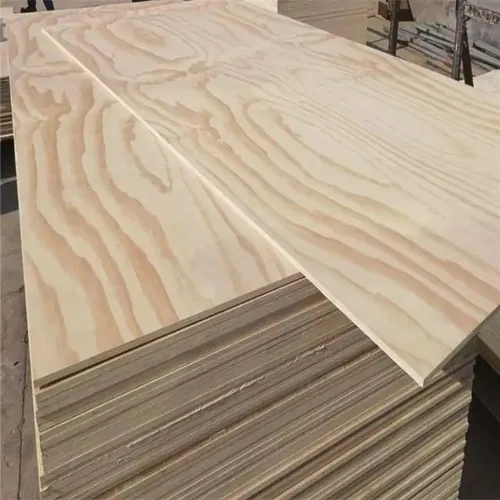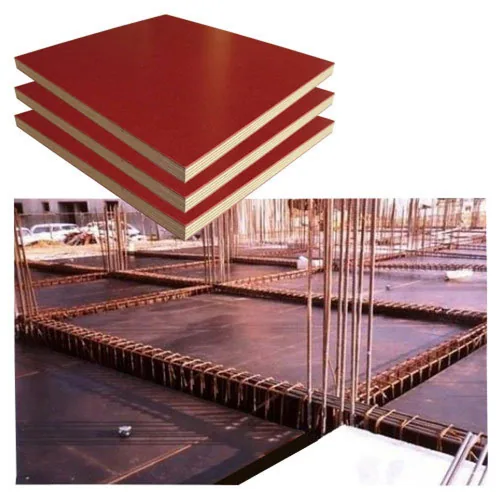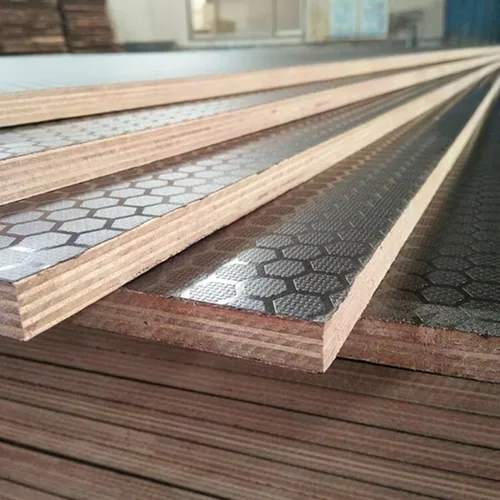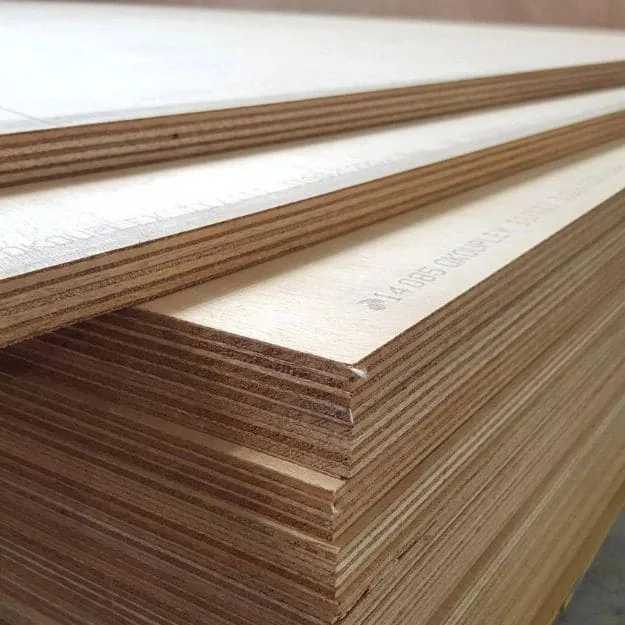
FROM THE PROJECT SPECIFICATION TO THE PANEL ORDER
Get the panel schedule ready for the job ahead.
Give purchasing and the site team one specification to work from.
Bring your floor, roof or wall panel requirements to CUZI. Start with the project grade, dimensions and quantity, then connect the proposed construction and product data with the drawing your team is using.
For a contractor, the order follows the work stages and delivery dates. For a distributor, it follows the product designations your customers request. Keeping those details with each item makes quotations, document reviews and repeat purchases easier to manage.
Make thickness and core part of the same offered model.
Supply thickness, core construction and grade are quoted against the specified performance and offered model. Send the actual required thickness; review the matching data and finished range with the selected construction.
Scroll horizontally to compare all columns.
| Project / item | Keep in the product schedule | Start that review |
|---|---|---|
| Required panel gauge | Send the project nominal thickness/performance category and required finished limits, measurement method/locations and conditioning. Record any surface preparation, overlay or fabrication changing the delivered gauge. | The offered thickness and compatible format are identified with the specific panel model. Request the thickness and dimension file |
| Full veneer / core schedule | Name front/reverse and every inner veneer species, gauge, position and grain direction; identify adhesive/bond and any treatment. Compare changed lay-ups at the same project brief and required properties. | A core name accompanies its complete offered construction. Request the full structural lay-up |
| Sheet / cut / joint geometry | List width × length, cut orientation, required tolerances, edge profile, joints/openings and the designer-specified support/fixing layout. Keep actual strength-axis identification with the cutting list. | Keep full sheets, cut parts and selected spares on separate lines. Discuss project cuts and direction |
Include the intended moisture exposure
State the construction-stage and service conditions with the required bond or exposure classification. APA distinguishes Exposure 1 for construction moisture from Exterior for long-term weather exposure. For further reading, see APA moisture exposure guidance and the proposed panel's instructions.
ORDER AROUND THE PROJECT DRAWING
Floors, roofs and wall panel packages.
Three project packages, three useful sample briefs.
Scroll horizontally to compare all columns.
| Project / item | Keep in the product schedule | Start that review |
|---|---|---|
| Floor / subfloor | Panel designation, finished dimensions, strength-axis direction, support spacing, edge support/joints and fixings; uniform/concentrated/moving loads, contact areas and deflection or vibration criteria required by the designer. | Trial the actual edge/joint/hardware with the proposed item and its data. Request a floor-panel review sample |
| Roof sheathing | Project designation and exposure, supports and strength-axis orientation, edge restraint, joints/openings and fixing schedule; project dead/imposed/wind/snow loads and serviceability requirements as specified. | Identify roof zones and installation stages on the schedule. Request a roof-panel review sample |
| Wall / sheathing | Wall elevation, panel direction, edge support, openings/returns, fastening/anchorage and complete bracing or diaphragm detail where specified. Ask for the relevant directional panel and connection data. | Keep the selected panel with the complete wall-system drawing. Request a wall-panel review sample |
Floor panel packages
Connect panel quantities with the floor layout, supports, joints and fixing schedule. Include the designer's requirements for any concentrated or moving loads.
Roof panel packages
List the specified panels, orientation and edge details against the roof drawing. Plan pack quantities around access, installation areas and the delivery sequence.
Wall & sheathing packages
Keep the panel designation, openings and connection schedule with each wall detail. Group quantities by work area so site teams can allocate the delivery.
For concrete-contact panels, add the surface and site-process requirements on the shuttering plywood page. For a wearing face, include the texture and traffic requirements on anti-slip flooring.
Specifications
Supply specifications
Regular sizes mm · width × length
On request
Other sheet sizes and cut-to-size panels on request.
| Thickness | Nominal thickness to your specification; finished thickness and tolerance quoted with the panel construction.Discuss finished thickness and tolerances → |
|---|---|
| Panel | Panel supply quoted against the specified floor, roof or wall requirements. |
| Grade | Project-required designation and standard, with the proposed product identity and documents. |
| Construction | Core species, lay-up, bond and surface requirements set out in the item quotation. |
| Geometry | Sheet or cut dimensions, tolerance and panel direction supplied with the project drawing. |
| Documents | Requested panel properties, marking and reports matched to the proposed construction and project. |
Details for your application
Supply specifications
Use the sheet formats below to plan the order. Request the thickness, construction and product designation called for by your project, with the relevant panel data for review.
Use the thickness measurement plan and the layer/edge inspection guide to record the actual item. Include the required internal-quality limits and permitted processing in the project brief. Send the specified grade and destination with your request. The quotation can then identify the proposed panel construction, dimensions and accompanying documents for that item.
CHOOSE YOUR STARTING POINT
A specified project, a panel alternative or recurring stock.
Your purchase can begin with a complete schedule or an item still to resolve. Choose the route closest to your next order.
Start with the designation your project calls for.
These are specification routes for your project inquiry. The quotation identifies the proposed panel and the files available for that exact construction and intended use.
Scroll horizontally to compare all columns.
| Project / item | Keep in the product schedule | Start that review |
|---|---|---|
| European project | Send the specified product standard/edition, designation, intended structural use and service/exposure requirements. Where specified, identify EN 636, relevant EN 314 bond requirements and the applicable performance declaration/marking package. | Request the offered item and exact covered material/thickness/use scope. Request the European project file |
| US project specification | Send the required PS 1 edition/designation, performance category, span rating or other specified properties, bond/exposure and project-required marking/certification. Include the code/design basis your team is using. | Keep the offered model identity and supporting files with the project specification. Request the PS 1 project file |
| Buyer / other destination | Name the required standard/edition, grade, test methods, structural properties, marking and destination requirements. Record the required load/serviceability basis and responsible design review. | State the exact designation when comparing another offered construction. Request your specified designation |
Quote a specified project
Share the grade, drawing revision and panel list. Identify the documents needed for review and the quantities required at each construction stage.
Prepare the project item listReview a panel alternative
Set out the required properties and the proposed changes in construction or dimensions. Keep the product data together for your designer's assessment.
Organise the product dataPlan recurring stock
Keep each customer-specified designation on a separate item line. Propose the sizes and quantities for your next container, with the required identification.
Plan your stock and deliveryIf the drawing specifies spruce veneers, the Spruce Plywood page connects face/inner species and grain direction with the required panel designation and component detail.
COMPARE OPTIONS
Your selection at a glance
Specified panel
Keep the required grade, standard, thickness and product identification with the project drawing.
Product data
Request the relevant properties and documents for the proposed construction and your project review.
Order & delivery
List quantities by item and stage, with sample needs, pack labels and the target receiving date.
MAKE THE PRODUCT DETAILS EASY TO REVIEW
Request the data for the panel your project specifies.
Send the required standard, grade and destination with your inquiry. Identify the product information your design or purchasing team needs before selecting the proposed construction.
Keep the data with the same order item and drawing revision. If the proposed thickness, grade or construction changes, provide the updated information for the designer's review.
Review four parts of the product-data package.
Scroll horizontally to compare all columns.
| Project / item | Keep in the product schedule | Start that review |
|---|---|---|
| Directional properties | Full designation/model/lay-up, measured thickness and relevant bending strength/stiffness, shear or other required properties by identified panel direction. Give units, test method/conditions/sample scope and the stated statistical or design basis. | Your designer selects the applicable values and adjustments for the drawing. Request the directional property file |
| Declaration / marking / scope | Where required, supply the exact declaration/marking and supporting reports or certification for the quoted model. Match standard/edition/intended use, covered construction/gauge range, producer/production identity and traceable item references. | Keep sample and lot identification attached to the quoted package. Request declaration and marking details |
| Bond / construction / service exposure | Describe expected construction wetting, enclosure/drying and actual service exposure. Match specified bond/product classification, treatment/coating, cut-edge/hole protection and handling/storage instructions to the item. | Include exposure conditions alongside the structural design basis. Request the exposure and bond file |
| Received item / repeat construction | Panel marks, product/model and bundle/lot identifiers, actual finished dimensions, sample/file references and quantity allocation. Send a revised data package for any changed veneer schedule, gauge, bond or treatment. | Make the next offer comparable against the selected construction. Request the item-to-file record |
The existing EN 13986 plywood document lists a non-structural scope and specified models. For a load-bearing project, request the separate performance/declaration/marking package matching the proposed structural item and intended use.
Reading a specified panel designation
In a grading system, appearance, bond classification and structural properties describe different aspects of a panel. See APA's plywood overview for its system, and use the designation and data required for your project.
Product data & reports to request
Request a technical data sheet covering:Request the product designation, grade, declared strength/stiffness values and reports required by your project specification.Include these specification details:- Product designation, core lay-up, bond, thickness and tolerances.
- Relevant strength and stiffness data for the panel construction and directions used in the project.
- Project-required reports, declarations and markings, with the product and production references they cover.
Company documents to view
FSC chain of custody Wood panels · purchase & salesISO 9001 & ISO 14001 Management systems · stated sales activitiesView our company certificates alongside the technical data for your selected panel.Structural applications: what to match
- Design data
- Request the product designation, grade, declared strength/stiffness values and reports required by your project specification.
- European construction
- Where applicable, request the performance declaration, CE marking and supporting reports for the offered structural product and intended use.
- Other destinations
- State the project standard and required product marking. Keep the construction, thickness, exposure class and designer acceptance criteria together.
BEFORE YOU ORDER
Ordering information
- Minimum order
- 1 container
- Production time
- 7–15 days
- Samples
- Free samples
- Delivery terms
- FOB Qingdao / Lianyungang
Sample freight & order notes
- Minimum order: Mixed loads available.
- Production time: Made to your order; sea transit is additional.
- Samples: Buyer pays freight; full credit on a formal order.
- Delivery terms: Container shipping by sea.
SEE THE PANEL YOUR TEAM WILL WORK WITH
Start a sample and document review together.
Request a free sample of the proposed construction to review its face, edges and machining in your process. Include the required grade, thickness and sample size, with the product data your project team needs. You pay sample freight, which is credited in full against your formal order.
- Set out the panel requirementsSend the specified designation, dimensions, exposure and drawing reference. Identify the data needed for the design review.
- Inspect a representative sampleCheck the face, edge construction, dimensions and intended processing. Record its identity with the proposed order item.
- Bring the selected item into the orderKeep the agreed construction, product data and project review with the panel schedule, quantities and delivery plan.
Keep three kinds of information clear in the review.
Product test result: identify the specimen/model, dimensions, direction, method, conditioning, measured values and statistical scope.
Design property or capacity: give the published/declared value and its basis, units, grade/construction/thickness range, direction and applicable service/load conditions. The responsible designer applies the required factors and checks.
Project selection: retain the actual supports, loads, duration/exposure, connections, edge restraint, openings and serviceability requirements with the selected item and drawing revision.
APA’s Panel Design Specification explains its panel design capacities and directional design basis. Use the data system and design rules specified for your project.
Connect sample observations with the project review
Record the face, edge and processing observations you want to carry into the order. Keep load-bearing selection tied to the specified panel properties, design conditions and the responsible designer's review.
PACK FOR THE NEXT CONSTRUCTION STAGE
Make the delivery follow your panel schedule.
Request FOB naming the shipment port or CIF naming the destination port. Include quantities by grade and size, surface and edge protection, unloading limits and the date the panels are needed.
For project packages, agree bundle labels by panel item and work area. Keep the product marking and document references traceable through receipt and allocation, including any cut components.
Include your destination and receiving requirements so the quotation covers the proposed panel mix, packing and shipment.
Prepare the receiving and storage plan
Use the receiving/storage guide with the item-specific handling and exposure instructions. Match delivered quantities and identification with the order schedule. Photograph any affected panels with their pack references, and follow the supplied product instructions for handling, storage and site exposure.
ORDER FOR THE WORK AND CUSTOMERS AHEAD
Put project panels and recurring stock on a schedule.
The minimum order is one container, with mixed loads available. Separate the project grades, constructions and dimensions into item lines, then list the quantities and identification needed for each.
Regular production takes 7–15 days, followed by shipping. Include the project receiving date and allow time for the required product review so the quotation can connect the item selection, production and shipment.
For repeat purchases, use the selected product description and document reference. Flag changes in destination, design requirements or dimensions before planning the next mix.
Plan a mixed project and stock container
Identify which packs serve a construction stage and which enter warehouse stock. Agree their quantities, labels and receiving sequence against the item schedule, with the supporting product references kept by stock line.
MAKE THE PROJECT READY TO QUOTE
Turn the specification into six purchasing details.
Bring these fields together for a floor, roof or wall package. Add the current drawing and panel schedule when available.
- Project & destination
- Application, country, drawing revision, work area and the panel standard specified for the project.
- Panel designation
- Required grade, thickness, tolerance, construction, bond and expected identification.
- Design information
- Required properties, loading, support spacing, panel direction and the designer's review requirements.
- Layout & connections
- Sheet and cut dimensions, edge support, openings, joints and specified fixing details.
- Items & quantities
- Full sheets, cut panels and spare pieces by construction stage or stock line.
- Documents & arrival
- Required product data, bundle labels, unloading limits, port and target receiving date.
Mark the actual product strength axis on the panel schedule and map it to the property table. Keep the support centreline direction, edge-restraint detail and joint locations on the drawing. Where the cut turns a part, identify how that part’s axes map back to the selected panel data. Use the oriented cutting list alongside the designer’s installation requirements.
Include concentrated loads in the project brief
Where the design includes equipment feet or wheels, provide their locations, contact areas and loads with the support layout. Keep this information with the panel-property request so the designer can assess the proposed construction for that use.
ONE RECORD FROM THE DRAWING TO RECEIPT
Check panel and bundle labels on arrival.
Use the worksheet to link project requirements, product data and received bundles. It gives purchasing and the receiving team a common reference for each panel item.
| Check | Record during evaluation |
|---|---|
| Project & specified panel | Drawing revision, application, required designation/standard/edition, thickness/performance category, strength-axis map and relevant properties; actual loads, supports, edge restraint and serviceability criteria. |
| Proposed construction & data | Model/producer/production identity, every layer species/gauge/direction, bond/treatment, measured finished dimensions, directional properties/units/method/statistical or design basis and exact declaration/report scope. |
| Review & changes | Changed characteristics, designer's review reference and the panel item selected for the project. |
| Sample & processing | Sample identity, face and edge observations, dimensional checks and processing results. |
| Receipt & identification | Bundle/lot labels, exact panel marks and model/document references, quantities/dimensions, observed handling damage and allocated drawing/work area. |
| Allocation & next order | Work area or stock line, installation drawing reference, remaining quantities and repeat-order description. |
Resolve an item or document difference
A supplied item has changed
List the changed grade, thickness, construction or document reference against the project schedule. Send the updated data for the designer's assessment and record the resulting item decision.
Bundle identification needs checking
Photograph the panel marks and pack labels, then connect them with the order and lot references. Confirm the item identity before allocating panels to the work area.
FAQ
Structural plywood buying questions.
What should I send for a structural plywood quotation?
Start with the specified grade or standard, thickness, size, quantity and destination. Add the application, current drawing and required product data so the proposed panel can be reviewed against the project.
Which sheet sizes are regularly supplied?
Regular plywood formats are 1220 × 2440, 1250 × 2500 and 1525 × 3050 mm. Other formats, including 1220 × 3050 and 1250 × 3660 mm, and cut sizes are available on request.
How do I confirm the thickness, core and grade?
Include the product designation and construction your project calls for. Request a quotation identifying the offered thickness, core, bond, tolerances and product documents, then keep the selected item with the project schedule.
What documents should I request?
Identify the standard and destination, then request the proposed panel's product designation, relevant strength and stiffness data, exposure information and any required reports or declarations. Connect each document with the construction it covers.
Can I compare an alternative panel?
Send the required properties and the changes proposed in grade, construction, thickness or dimensions. Use the updated product data in the responsible designer's review before taking the selected item into the order.
What can I evaluate with a sample?
A sample helps your team inspect the face, edges, dimensions and machining. Use the relevant panel data and project review to select the construction for the load-bearing application.
Can I request project cuts?
Send a cutting list with quantities, drawing revision, orientation, openings and edge details for quotation. Include the permitted joint and support positions from the project design.
What is the minimum order, and can I mix items?
Orders begin at one container. Mixed loads are available; set out the quantities for each designated panel, construction and size so packing and the proposed mix can be priced together.
How do free samples and freight work?
Tell us the specified construction and sample dimensions you need for your review. The samples are free; sample freight is credited in full against your formal order.
What production time and quotation terms are available?
Regular production is 7–15 days, with shipping additional. Request FOB with the shipment port or CIF with the destination port, and include the date your project or warehouse needs the delivery.
How should I compare panels for a trafficked floor?
Connect the load-bearing panel requirements with the floor layout and support design. For the working face, add the traffic, moisture and surface requirements using the anti-slip panel route.
Which thickness and core should I choose for a span?
Send the designation, required properties, loads, support/edge/fixing conditions and direction from the project design. Match the offered gauge and complete lay-up with their data for the responsible designer’s assessment. Request the full lay-up and gauge
Is a measured bending result already a design capacity?
Ask for results showing the tested panel, method, conditions and statistical measure. Give your designer the relevant design values, units and panel directions for the project checks. Request the property and design basis
Does the existing plywood document cover this structural job?
Match the exact intended use, model, construction/thickness range and required declaration/marking to the proposed item. The existing listed EN 13986 plywood document has a non-structural scope. Request the structural item package
What changes when a panel is cut or an opening is added?
Keep the remaining section, strength-axis orientation, joint/support/edge restraints and connections on the updated drawing. Review relevant updated data with the responsible designer and keep cut-part labels traceable to the selected panel. Discuss the revised cut schedule
What stays with a recurring structural stock line?
Retain full model/designation/standard, layer schedule/gauges, bond/exposure and required marking/files, with finished dimensions and receiving references. Provide changed destination/design/use requirements and quantities for the next offer. Prepare the repeat structural line
Can structural capacity be selected from thickness alone?
Select the panel using the required grade, construction, properties, direction and support or fixing conditions from the project design. Keep those requirements with the proposed product data for the responsible designer to review.
Which guides can help me choose this panel?
For this product, read Formwork plywood layouts: connect the drawing to the order or Trailer floor replacement: prepare a panel template and brief. Use the panel comparison to compare your shortlist before requesting samples or a quotation.
START WITH YOUR NEXT PANEL PACKAGE
Bring us the specification your project needs.
Send the required designation, size, quantity and destination to begin. Open the project outline when you are ready to add the drawing, product-data and delivery details.
Open the structural plywood inquiry outline
I would like a quotation for Structural Plywood.

Application / destination:
Thickness / sheet or finished part size:
Project grade / standard / marking:
Drawing / panel direction / supports / fixings:
Design loads, exposure and properties required by the designer:
Quantity / mixed-load items / spares:
Samples or product documents needed:
Packing / FOB or CIF port / required date:
For concrete forming, add the requirements on shuttering plywood. For a textured wearing face, include the surface selection on anti-slip flooring.
Comparing a plywood and strand-board offer? Our Plywood vs OSB buying guide brings grades, exposure, directional requirements, working trials and cost per usable part into one comparison.